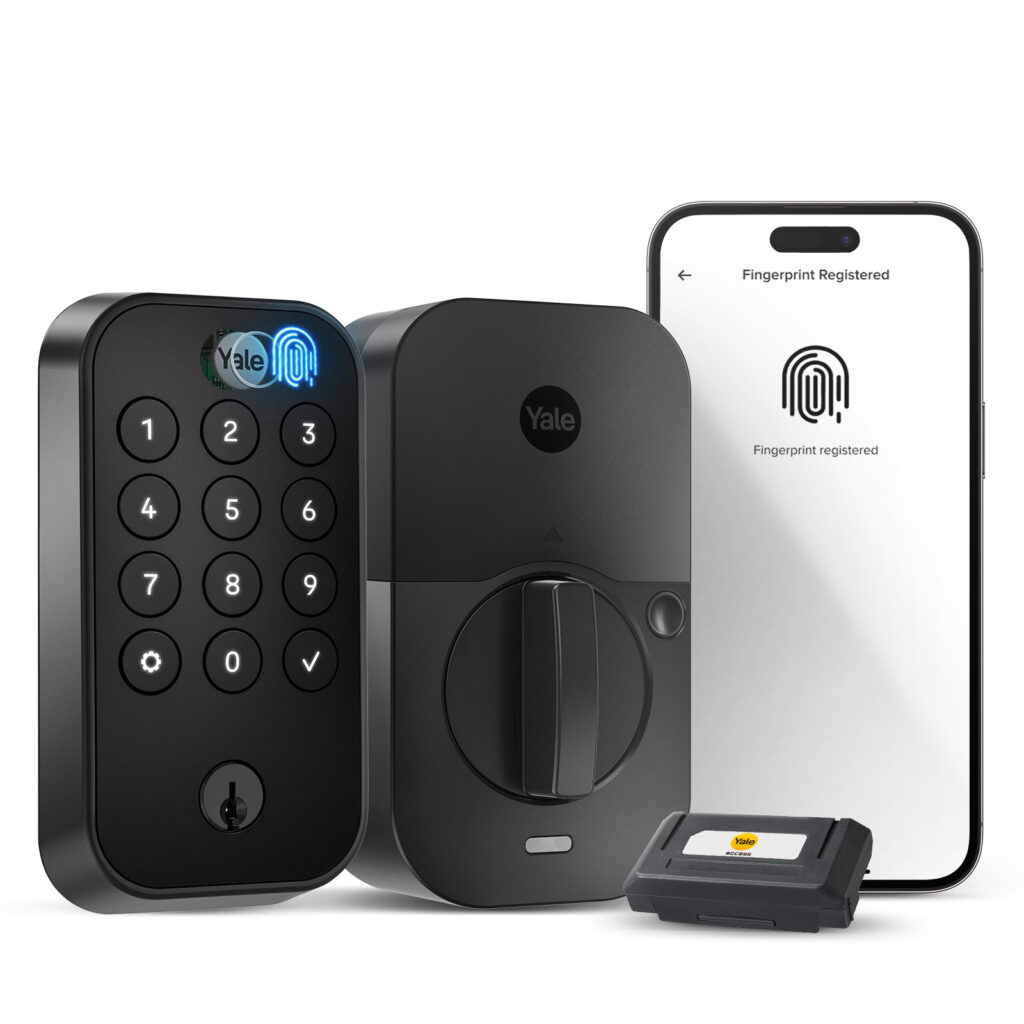

More homeowners and rental property owners are choosing smart keypad locks because of features including the following;
Multiple user codes and auto-lock.
Wi-Fi connectivity and remote access.
Smart home integration, voice control, and fingerprint access.
Temporary codes and activity history.
Large illuminated keypad and one-touch locking.
The most popular smart residential Wi-Fi keypad locks combine built-in wireless connectivity, keyless PIN entry, and robust app integration without requiring an extra smart hub. Top-selling models include the Schlage Encode Smart WiFi Deadbolt, Yale Assure Lock 2, and Kwikset Halo. Retail prices typically range from $150 to $330.
Sandy Springs Locksmith installs and maintains each of these three popular locking systems. We are happy to assist you with other brands as well.
Listed are some features of the three most popular models.
- Schlage Encode / Encode Plus: Widely considered the gold standard for build quality and Grade 1 security. It features built-in Wi-Fi, stores up to 100 access codes, and integrates with Alexa, Google Assistant, and Apple HomeKit/Home Key (on the Plus model). Costs roughly $280–$330.
- Yale Assure Lock 2 (Wi-Fi): A compact, highly customizable touchscreen or keypad lock. Its modular design lets you swap network communication cards (Wi-Fi, Z-Wave, Matter). Retails around $160–$230.
- Kwikset Halo: A popular touchscreen or push-button smart lock that connects directly to your home’s 2.4GHz Wi-Fi network for remote management via the Kwikset app. Retails around $200–$250.
Key Features to Consider
- Connectivity: True built-in Wi-Fi means direct connection to your router, whereas Bluetooth-only models need a separate bridge or gateway for remote access away from home.
- Power Supply: Most run on 4 AA batteries lasting 3 to 6 months depending on Wi-Fi activity and use and include a physical key or a 9V battery jump-start port as backup.
- Access Methods: Look for combinations of backlit keypads, smartphone app controls, biometric fingerprint scanners, or auto-unlock proximity features.
Sandy Springs Locksmith overall recommendations are as follows;
🥇 Best Overall: Schlage Encode
- Best security
- Fewest service calls
- Easiest recommendation for most homeowners
🥈 Best for Apple Users: Yale Assure Lock 2 (or Assure Lock 2 Plus)
- Excellent HomeKit integration
- Fingerprint and Apple Home Key options depending on model
🥉 Best Value: Kwikset Halo
- Lower cost
- Easy rekeying with SmartKey
- Good feature set for the price
For a locksmith, these are probably the three smart locks you’ll recommend most often. They each have strengths, but they’re designed for slightly different customers.
| Feature | Schlage Encode Smart WiFi Deadbolt | Yale Assure Lock 2 | Kwikset Halo |
| Security Grade | ANSI/BHMA Grade 1 | Varies by model (most residential models Grade 2) | ANSI/BHMA Grade 2 |
| Wi-Fi | Built-in | Optional built-in Wi-Fi or module depending on model | Built-in |
| Hub Required | No | Depends on model | No |
| User Codes | Up to 100 | Up to 250 | Up to 250 |
| Rekeyable | Standard Schlage cylinder | Yale cylinder | SmartKey rekeyable |
| Auto Lock | Yes | Yes | Yes |
| Voice Assistants | Alexa, Google | Alexa, Google, Apple HomeKit (model dependent) | Alexa, Google |
| Apple Home Key | Only Encode Plus (not standard Encode) | Plus models only | No |
| Installation | Very easy | Easy | Easy |
1. Schlage Encode Smart WiFi Deadbolt
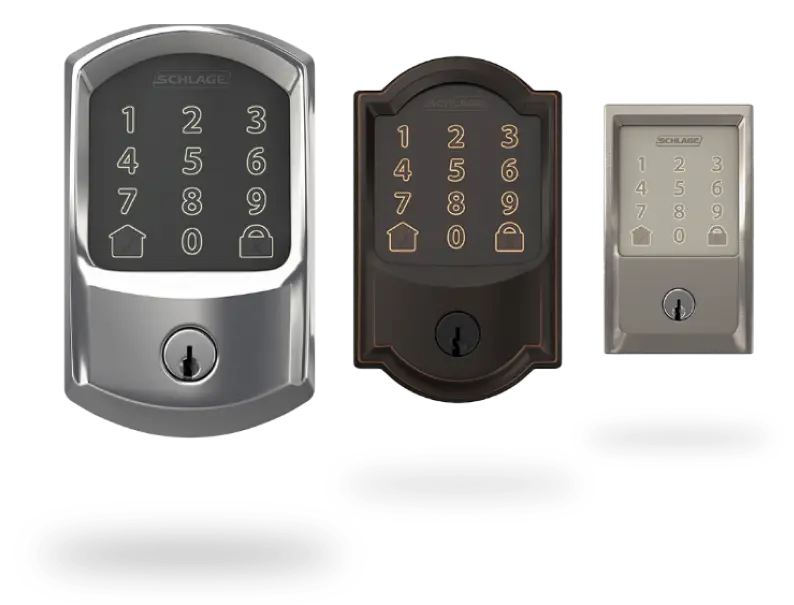
$239.56•The Home Depot
Pros
- Excellent build quality
- ANSI Grade 1 security
- Built-in alarm
- Built-in Wi-Fi (no bridge)
- Very reliable Schlage Home app
- Large touchscreen
- Quiet operation
- Excellent remote access
- Very dependable motor
Cons
- Higher price
- Doesn’t offer fingerprint access
- Original Encode doesn’t support Apple Home Key (Encode Plus does)
Best For
- Homeowners wanting maximum security
- Vacation rentals
- Customers who value reliability over extra features
2. Yale Assure Lock 2
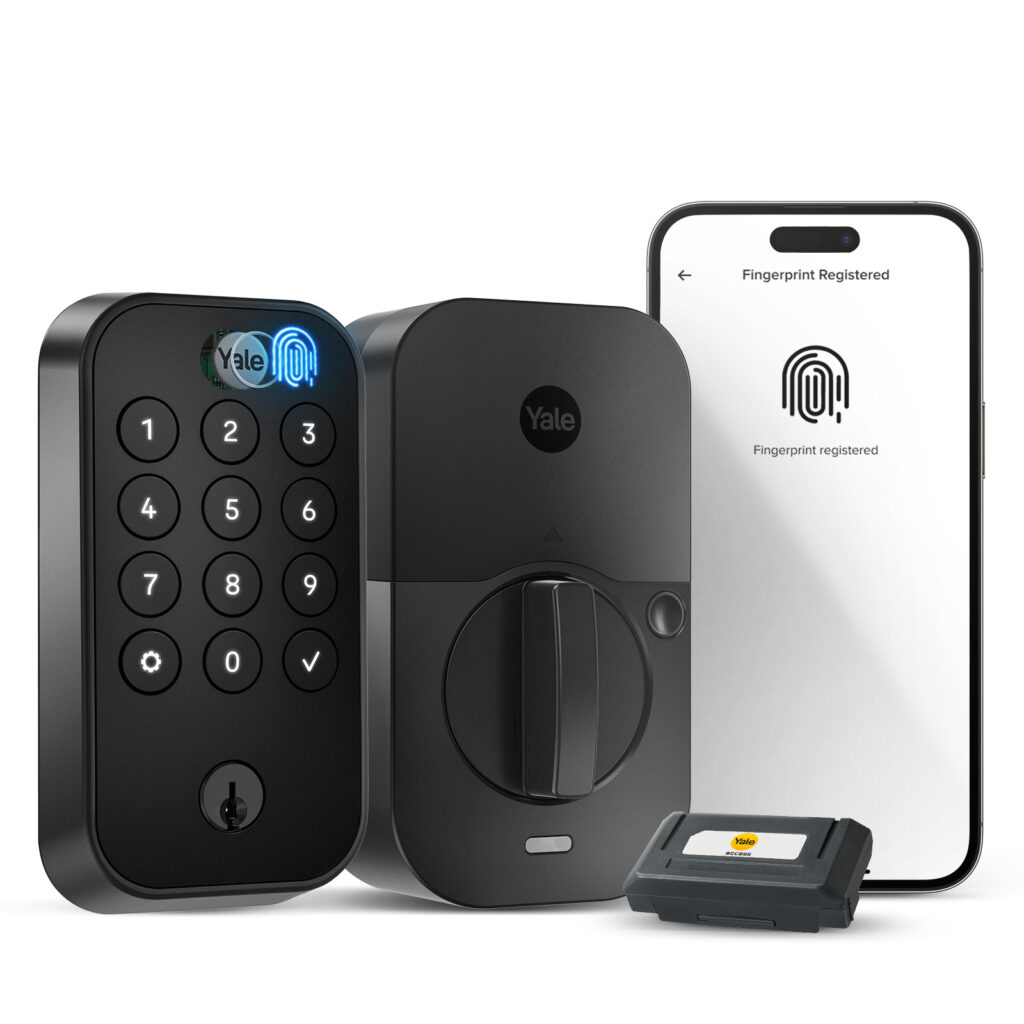
Yale Assure Lock 2 Wi-Fi
$279.99 · Best Buy
Pros
- Slim, modern appearance
- Available with keypad, touchscreen, or fingerprint reader
- Excellent smart home compatibility
- Apple HomeKit available
- DoorSense technology alerts when door is left open
- Multiple communication options (Bluetooth, Wi-Fi, Matter, Z-Wave depending on model)
Cons
- More confusing product lineup
- Wi-Fi versions consume batteries faster
- Security rating is generally Grade 2
- More sensitive to installation alignment than Schlage
Best For
- Apple Home users
- Customers wanting fingerprint access
- Modern homes
3. Kwikset Halo
Kwikset Halo Wi-Fi Smart Lock
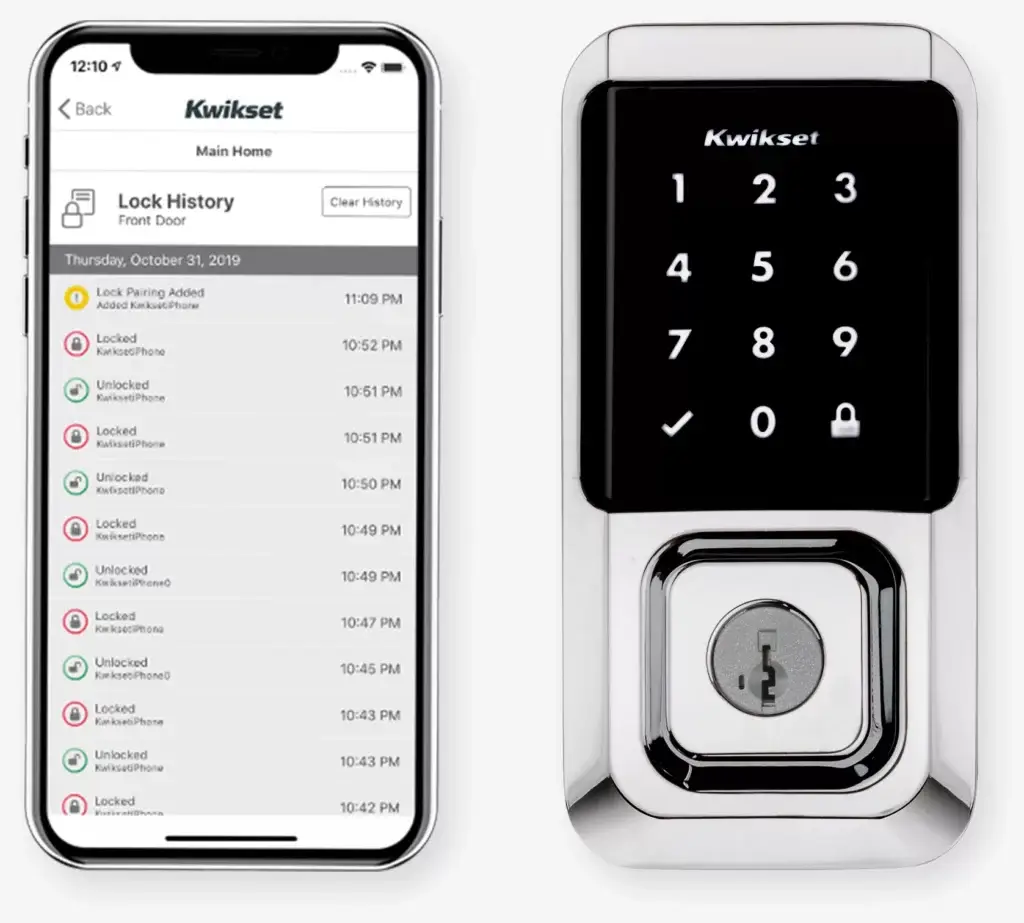
$213.00 · Lowe’s
Pros
- Lower cost
- Built-in Wi-Fi
- SmartKey rekey technology
- Up to 250 user codes
- Easy app setup
- Available with fingerprint (Halo Touch)
Cons
- Grade 2 security
- App has historically received mixed reviews
- Motor isn’t as robust as Schlage
- Touchscreen can be slower
- Battery life is average
Best For
- Budget-conscious customers
- Existing Kwikset customers
- Homes already keyed with SmartKey cylinders
Security Comparison
1st — Schlage Encode
- Grade 1 deadbolt
- Strong bolt
- Excellent resistance to forced entry
- Built-in alarm
- Considered one of the most secure residential Wi-Fi locks.
2nd — Yale Assure Lock 2
- Good residential security
- Grade 2 on most models
- Excellent electronic features
3rd — Kwikset Halo
- Grade 2
- SmartKey protects against traditional lock picking
- Good for average residential use
Smart Home Integration
| Platform | Schlage | Yale | Kwikset |
| Alexa | ✔ | ✔ | ✔ |
| Google Home | ✔ | ✔ | ✔ |
| Apple HomeKit | Encode Plus only | Yes (compatible models) | No |
| Matter | Limited (model dependent) | Available on select models | Newer Halo Select, not original Halo |
Battery Life
- Schlage Encode: Good (about 6 months under typical use)
- Yale Assure Lock 2 Wi-Fi: Fair to good (often 4–6 months)
- Kwikset Halo: Fair (typically 4–6 months)
Wi-Fi-enabled locks generally require more frequent battery changes than Bluetooth-only models.
Reliability (Based on Field Experience)
Schlage Encode
⭐⭐⭐⭐⭐
- Few callback issues
- Strong motor
- Very durable keypad
- Excellent weather resistance
Yale Assure Lock 2
⭐⭐⭐⭐☆
- Excellent once installed correctly
- Proper door alignment is important
Kwikset Halo
⭐⭐⭐☆☆
- Generally reliable, but locksmiths report more motor and connectivity service calls than Schlage
For a Locksmith Shop
When homeowners ask about keypad locks, they’re usually buying for convenience first and security second. Focusing on the benefits they experience day-to-day tends to resonate more than discussing technical specifications.
Here are the features that are most attractive to homeowners:
| Feature | Why Homeowners Like It |
| Keyless Entry | No more carrying or searching for keys. |
| Unique User Codes | Give family members, guests, cleaners, or dog walkers their own codes. |
| Temporary Codes | Create codes that expire automatically for visitors or contractors. |
| Auto-Lock | Never worry about forgetting to lock the door. |
| Remote Lock/Unlock | Lock or unlock the door from anywhere using a smartphone (Wi-Fi models). |
| Activity History | See who entered and when. |
| One-Touch Locking | Lock the door with a single button press when leaving. |
| Fingerprint Access | Fast entry without remembering a code (on supported models). |
| Voice Assistant Integration | Lock or check the status using Alexa, Google Assistant, or Siri (model dependent). |
| Smart Home Integration | Include the lock in home automation routines, such as locking doors at bedtime. |
| Low Battery Alerts | Receive notifications before the batteries need replacing. |
| Backup Key | Mechanical key access if the batteries die or electronics fail. |
The Biggest Selling Points
1. No More Lockouts
This is often the number one reason homeowners buy a keypad lock. Family members can enter with a code instead of worrying about lost or forgotten keys.
2. Easy Access for Family
Parents appreciate not having to make duplicate keys for children. Everyone can have a personal code that’s easy to change if needed.
3. Safer Access for Service Providers
Instead of hiding a key under a mat, homeowners can assign a temporary code to:
- House cleaners
- Dog walkers
- Contractors
- Delivery personnel
- Pet sitters
- Airbnb guests
The code can be deleted after it’s no longer needed.
4. Peace of Mind
Many homeowners wonder, “Did I lock the front door?” Smart keypad locks let them check the lock status and lock the door remotely if they forgot.
5. Better Home Security
Compared with traditional keyed locks, many keypad locks offer:
- Automatic locking
- Built-in tamper alarms (on some models)
- Wrong-code lockout after repeated failed attempts
- Grade 1 or Grade 2 security ratings, depending on the model
Features That Impress Customers During a Demo
When demonstrating a keypad lock in your showroom, these features tend to get the strongest reactions:
- Entering with a code in seconds
- Locking the door with one touch
- Showing how easy it is to create and delete user codes
- Demonstrating remote lock/unlock from a smartphone
- Showing activity notifications
- Demonstrating fingerprint unlock (if available)
Common Customer Concerns (and Good Responses)
- “What if the batteries die?”
Most keypad locks provide low-battery warnings well before replacement is needed, and nearly all include a traditional key override.
- “Can someone hack it?”
Reputable brands use encrypted communication, and choosing a lock with an ANSI/BHMA Grade 1 or Grade 2 rating and keeping its firmware updated helps maintain security.
- “Is it difficult to install?”
Most residential keypad deadbolts fit standard door preparations and can usually be installed in about 30–60 minutes with basic tools.